Introduction to Items and SKUs
Create item records that support purchasing, manufacturing, sales, and reporting.
Before You Start
Section titled “Before You Start”- You know each item’s SKU (Stock Keeping Unit), name, and unit of measure.
- You know whether the item needs lot traceability.
-
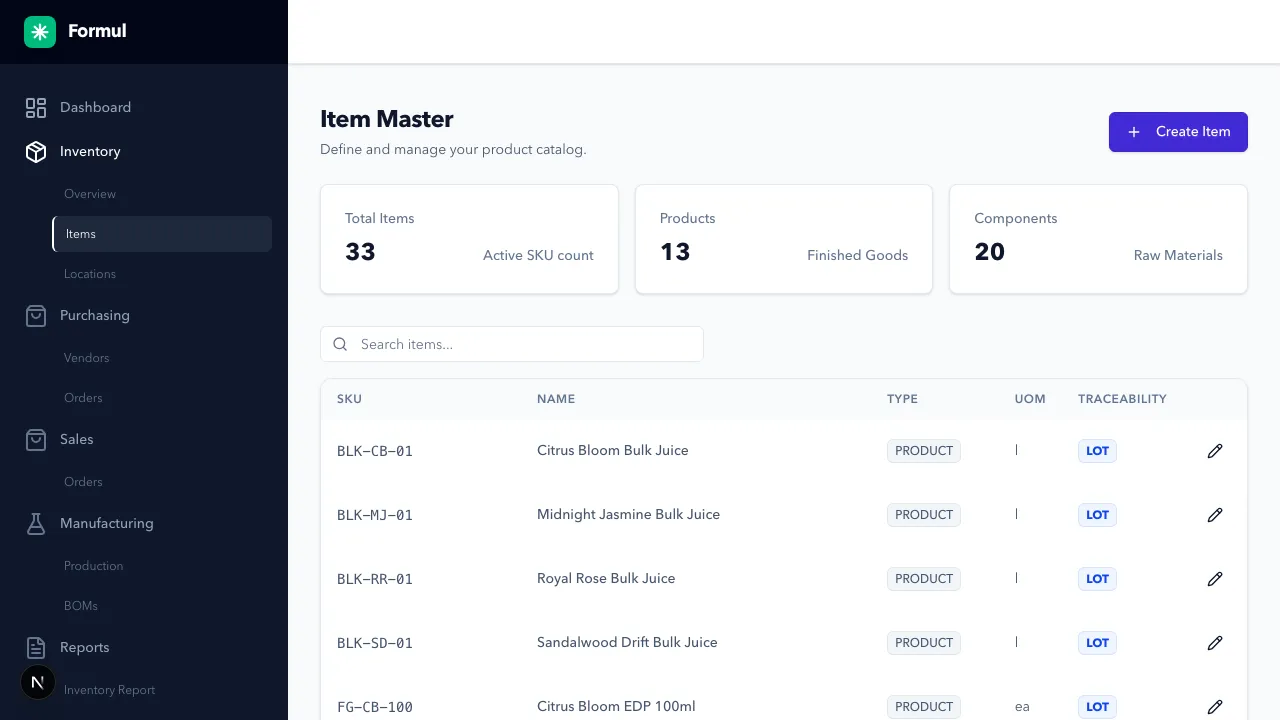
Navigate to Inventory > Items.
-
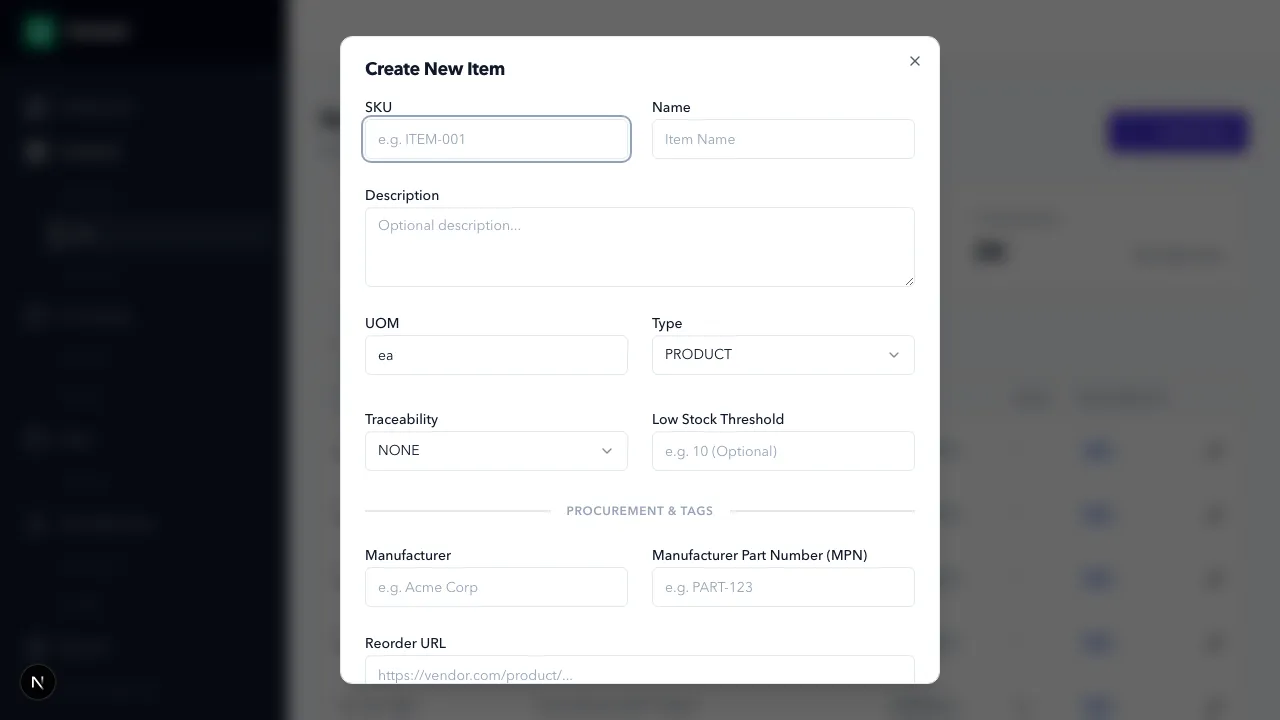
Click Create Item.
-
Enter core fields:
- SKU (required)
- Name (required)
- UOM (unit of measure, required)
-
Set Type:
COMPONENTfor raw materials.PRODUCTfor finished goods.SERVICEfor non-physical cost items.
-
Set Traceability:
NONEfor non-lotted tracking.LOTwhen batch-level tracking is required.
-
Set Low Stock Threshold (optional but recommended):
- Use this when you want Formul to flag items that are running low.
- Example: if an item should never drop below
20, set threshold to20. - This helps you catch replenishment risk early instead of discovering shortages during allocation or production.
-
Set Procurement Metadata (optional):
- Manufacturer: who makes the part/material.
- MPN (Manufacturer Part Number): exact supplier/manufacturer identifier.
- Reorder URL: direct supplier link for faster reordering.
- Use these fields when your team needs faster, more reliable purchasing decisions (fewer wrong-part buys, less lookup time).
-
Save the item.
Expected Result in Formul
Section titled “Expected Result in Formul”- Item appears in item list and is selectable in PO, BOM, WO, and SO flows.
- Traceability policy controls whether batch IDs are required in downstream transactions.
- Threshold-configured items can be surfaced as low-stock risks in inventory monitoring workflows.
- Procurement metadata is available to buyers and operators to speed up reorder actions.
Why These Settings Matter
Section titled “Why These Settings Matter”- Low-stock threshold is an operational guardrail: it defines your minimum safe level for that item. If you skip it, you lose an early warning signal and usually find shortages too late (at release, allocation, or pick time).
- Procurement metadata is a purchasing quality control layer: it reduces ambiguity about what to buy and from where, especially when multiple similar SKUs exist.
- Traceability policy is a compliance/recall choice:
choosing
LOTenforces stronger genealogy but requires stricter data entry discipline.
If Something Looks Wrong
Section titled “If Something Looks Wrong”- If create fails, verify required fields and unique SKU.
- If item is missing in workflows, confirm item type and tenant context.
Next Step
Section titled “Next Step”Define storage structure in Managing Locations.