Work Orders
Run production with clear state transitions and traceable inventory consumption/output.
Before You Start
Section titled “Before You Start”- BOM exists for the output item.
- Required components are available.
- Production location is set.
-
Navigate to Manufacturing > Production.
-
Click New Work Order.
-
Select output item, location, BOM, and target quantity.
-
Save to create a
DRAFTwork order. -
Move to
PLANNED, thenRELEASEDwhen execution begins.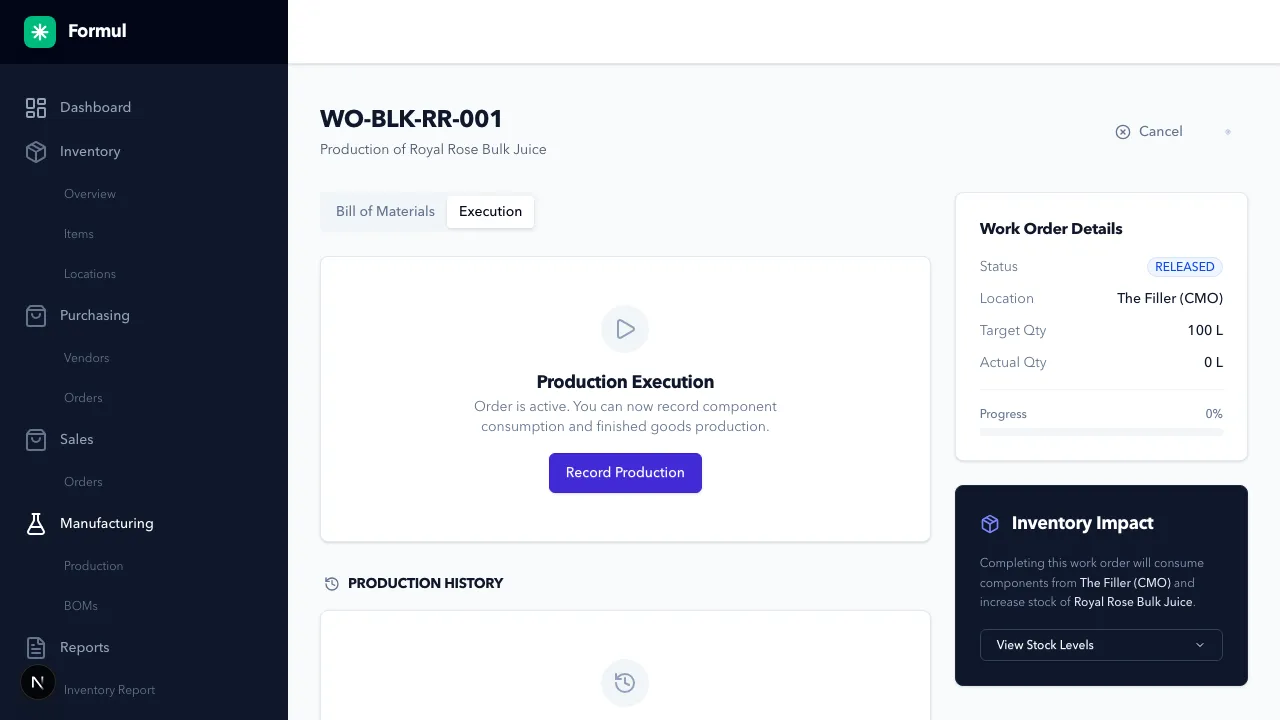
-
Produce goods physically.
-
Click Record Production to complete.
-
Enter actual output quantity and output batch/lot when required.
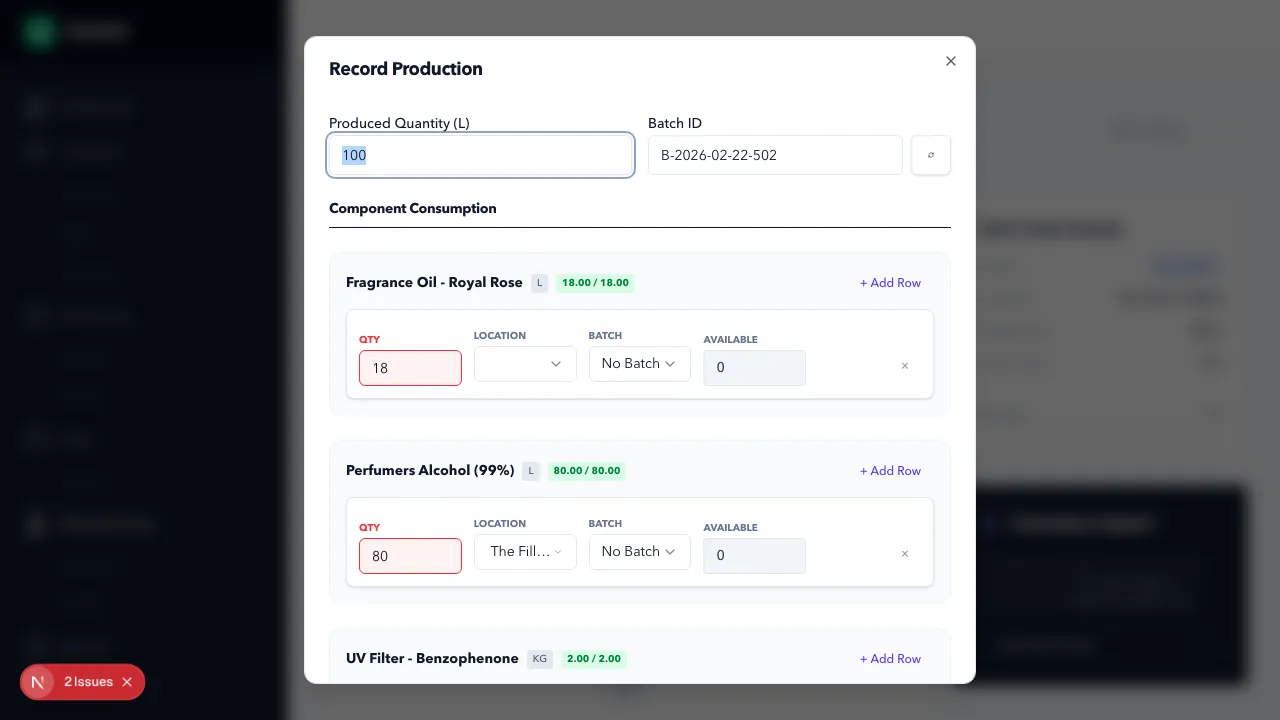
In this modal, red
QTYfields indicate a validation problem: requested component consumption is higher than available stock for the selected location/batch. Update location, batch, or quantity until each component row is valid before clicking Complete Production.
Expected Result in Formul
Section titled “Expected Result in Formul”- Status transitions follow lifecycle (
DRAFT,PLANNED,RELEASED,PARTIALLY_COMPLETED,COMPLETED,CANCELLED,CLOSED). - On completion, component consumption and finished-good output are posted to inventory ledger.
Why Work Order Statuses Matter
Section titled “Why Work Order Statuses Matter”DRAFTlets you define intent before capacity or material commitment.PLANNEDsignals upcoming demand to operations without consuming stock.RELEASEDmarks active execution and should reflect real shop-floor start.PARTIALLY_COMPLETEDcaptures partial output truth when full target is not yet achieved.COMPLETEDfinalizes consumption and output postings for costing and availability.CANCELLED/CLOSEDstop further operational actions and prevent accidental postings.
Work Order Status to Ledger Impact
Section titled “Work Order Status to Ledger Impact”| Status / action | Inventory impact |
|---|---|
DRAFT | No ledger movement |
PLANNED | No ledger movement |
Move to RELEASED | Formul posts ALLOCATION entries for required BOM components |
| Record Production (partial or full) | Formul posts PRODUCTION_CONSUMPTION and PRODUCTION_OUTPUT entries |
COMPLETED | Final production postings are complete and WO allocations are cleared as part of completion flow |
If Something Looks Wrong
Section titled “If Something Looks Wrong”- If release fails, verify shortages and allocations.
- If completion fails, verify required output fields including batch/lot rules.
- If quantity fields appear red, you are in a validation-error state (for example, insufficient component stock for entered consumption). Correct quantities or source batches before submitting.
- If you see an
Insufficient stockmessage in the modal header, at least one component row exceeds available stock and the submission is blocked. - If inventory impact is unexpected, inspect associated ledger entries.
Next Step
Section titled “Next Step”Use produced inventory in Sales Orders.