Purchase Orders
Convert material demand into controlled vendor orders with clear status transitions.
Before You Start
Section titled “Before You Start”- At least one vendor exists.
- At least one purchasable item exists.
- You know expected quantities, dates, and unit prices.
-
Navigate to Purchasing > Orders.
-
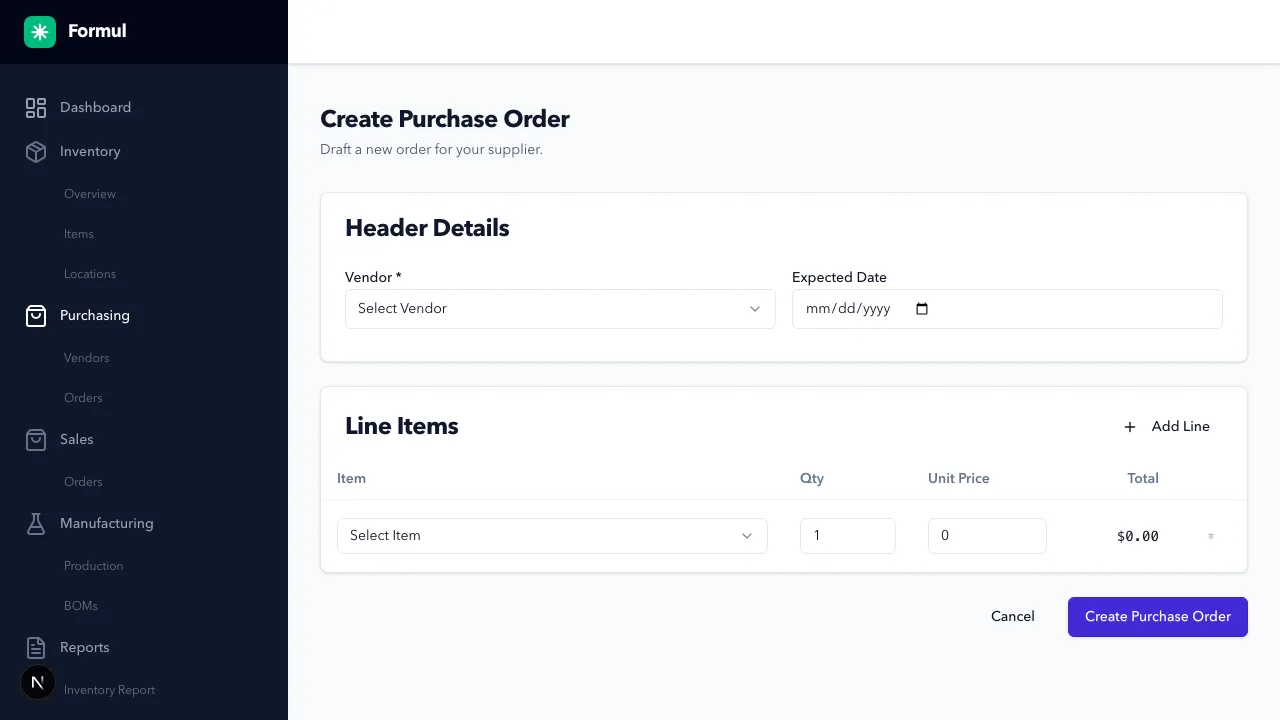
Click Create Purchase Order.
-
Select a vendor and expected date.
-
Add one or more item lines with quantity and unit price.
-
Save as draft.
-
Open the draft and click Submit Order to move to
OPEN(confirmation title: Submit Purchase Order).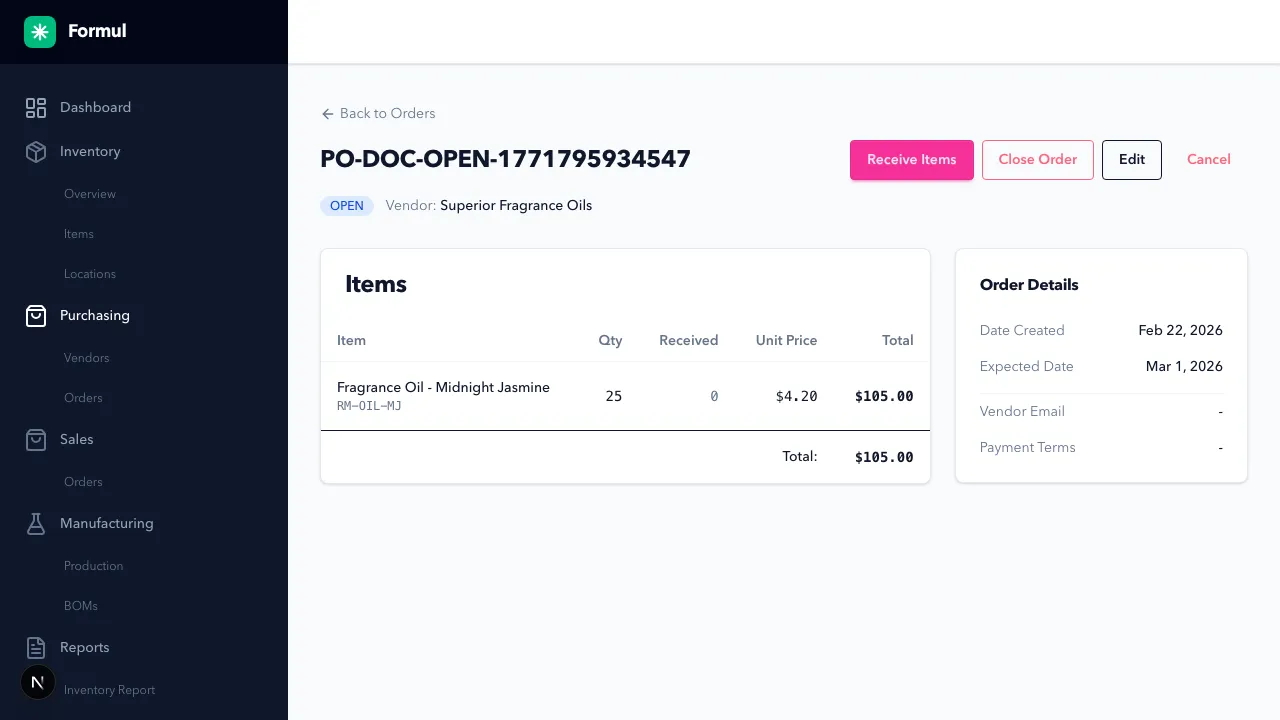
-
Use available order actions according to status:
DRAFT: edit, submit, cancel, delete.OPEN: receive, edit, cancel, close.PARTIALLY_RECEIVED: receive remaining lines or close.
Expected Result in Formul
Section titled “Expected Result in Formul”- Order number is created and visible in the order list.
- Status reflects lifecycle progression (
DRAFT->OPEN->PARTIALLY_RECEIVED->CLOSED). - Receiving remains blocked until order is in a receivable status.
PO Lifecycle and Operational Guardrails
Section titled “PO Lifecycle and Operational Guardrails”Primary path:
DRAFT -> OPEN -> PARTIALLY_RECEIVED -> CLOSED
Cancellation path:
DRAFT or OPEN -> CANCELLED
Status behavior in Formul:
| Status | What you can do | What downstream teams should assume | Inventory / ledger impact |
|---|---|---|---|
DRAFT | Edit, submit, cancel, delete | Order is not committed yet | No inventory movement |
OPEN | Receive, edit, cancel, close | Receiving can start against this PO | No movement until a receipt is posted |
PARTIALLY_RECEIVED | Receive remaining lines, close | Some lines are in stock, some still outstanding | Each receipt posts RECEIPT ledger entries |
CLOSED | View only | No more receipts expected | No new PO receipts should be posted |
CANCELLED | View only | Order is intentionally stopped | No further receiving allowed |
Why PO Statuses Matter
Section titled “Why PO Statuses Matter”DRAFTprotects you from committing incomplete pricing or quantities.OPENmeans demand is committed and should be expected by receiving teams.PARTIALLY_RECEIVEDtells planners that some demand is still outstanding.CLOSEDconfirms no further receipts are expected for that order.CANCELLEDprevents accidental receiving against an order you no longer intend to fulfill.
If you skip status discipline, purchasing, receiving, and planning lose a shared source of truth.
If Something Looks Wrong
Section titled “If Something Looks Wrong”- If submit fails, confirm required header and line fields are complete.
- If receive is unavailable, confirm status is
OPENorPARTIALLY_RECEIVED. - If values look wrong, verify line item unit prices before receiving.
- If a PO was closed too early, no additional receipts can be posted through normal PO receiving flow.
- If a user tries to receive while still in
DRAFT, Formul blocks the action by status.
Next Step
Section titled “Next Step”Receive stock and post inventory in Receiving Inventory.